
Sortroom for Mac
Organize photos on your external drive. No import.
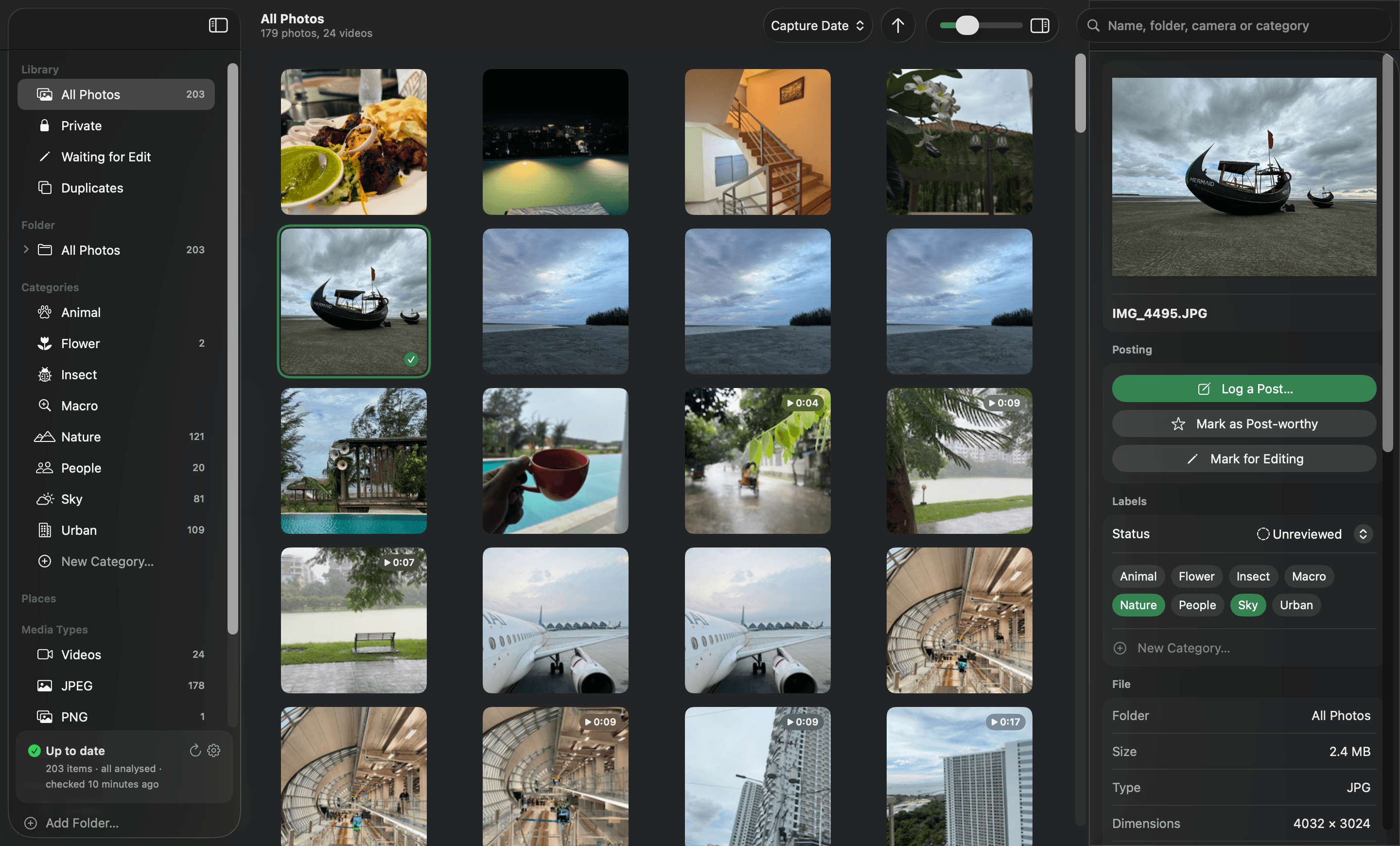
Plug in your SSD, add a folder, and start browsing. Sortroom works on your photos where they already are, so nothing gets copied to your Mac first.

If this sounds familiar
A few SSDs, an old hard drive, folders called New Folder. You’re not sure the drives hold the same files, and sorting it all by hand looks like tens of hours of work.
Sortroom starts from the folders you already have. There’s nothing to import and no new folder structure to learn.
How it works
- Add a folder or a drive. Photos start appearing while the scan is still running.
- See it all in one view. Every photo from every sub-folder, or browse folder by folder.
- Organize when you’re ready, with Sortroom Pro. Label, rename or sort into real folders. Renames and folder sorts show a preview first, and you can undo them.
Free: open and browse
- Photos, videos and RAW together.
- JPEG, HEIC, PNG, TIFF, WebP and camera RAW from Canon, Nikon, Sony, Fujifilm, Olympus and Panasonic, plus DNG.
.MOVand.MP4clips show up too. - Drives come and go.
- Unplug a drive and Sortroom shows it as not connected. Plug it back in and it returns, labels and all.
With Sortroom Pro: organize for real
- Labels that travel with the drive.
- Your labels are saved on the drive, so they’re already there when you open it in Sortroom on your other Mac. They work inside Sortroom only. Other photo apps can’t read them.
- Duplicates across drives.
- Sortroom finds exact copies of photos and videos across the folders and drives you’ve added. It suggests which copy to keep and says why. You decide, and removed copies go to the Trash or a review folder.
- Real folders.
- Sort into Year / Month, Country / City, Category or Camera folders. You see the result before any file moves.
- Bulk rename.
- Turn
IMG_4821.CR3into2026-03-12_Dhaka_Macro_001.CR3. RAW + JPEG pairs and sidecar files stay together. - Checked copies between drives.
- Drop photos on a folder on another drive. The originals stay where they are, and every copy is checked.
Worried about losing something?
- Sortroom never re-saves or re-compresses a photo.
- Renames and moves can be undone, even after a crash.
- It never overwrites a file and never deletes a photo for good. Photos you remove go to the Trash.
Sortroom is not a backup. Keep a second copy of any archive you care about.
When Finder or the Photos app is enough
Finder can rename many files at once and is already on your Mac. If your folders are in good shape, you may not need anything else.
The Photos app is a good fit if you want your photos in one library. It can keep the original files on your drive when you turn off “Copy items to the Photos library”. You still import them first, and Apple notes that Photos can no longer find a file if its drive is disconnected, or if the file is moved or renamed.
Sortroom is for when you want your drives to stay plain folders, and still want labels, duplicates and bulk organizing in one place.
Questions
Does Sortroom copy my photos to my Mac?
No. It works on your folders and drives exactly where they are. It keeps a thumbnail cache on your Mac, up to 500 MB, which you can clear in Settings.
Does it change anything on my drive?
It adds one hidden .sortroom folder at the top of each folder you add. That’s where your labels live. Your photo files stay as they are unless you rename or move them.
Can it open my Photos library?
No. Sortroom reads plain folders of photos. It doesn’t open what’s inside a Photos library on your Mac or on a drive.
What happens if I stop using it?
Your folders stay exactly as they are. Your labels stay in Sortroom, and other apps can’t read them.
Does it work with a large archive?
Photos start appearing during the scan. On-device analysis, which powers automatic categories, takes longer on a big archive and runs in the background.
How much does it cost?
Browsing your folders and drives, viewing photos and videos, and seeing the labels you already have are free. Sortroom Pro unlocks labels, renaming, moving, organizing and duplicate clean-up. Buy it once with Lifetime, with no subscription, or pay yearly or monthly. See pricing
Your photos. Your folders. Finally in order.