
Sortroom for Mac
Thousands of photos on your drive. No cloud needed.
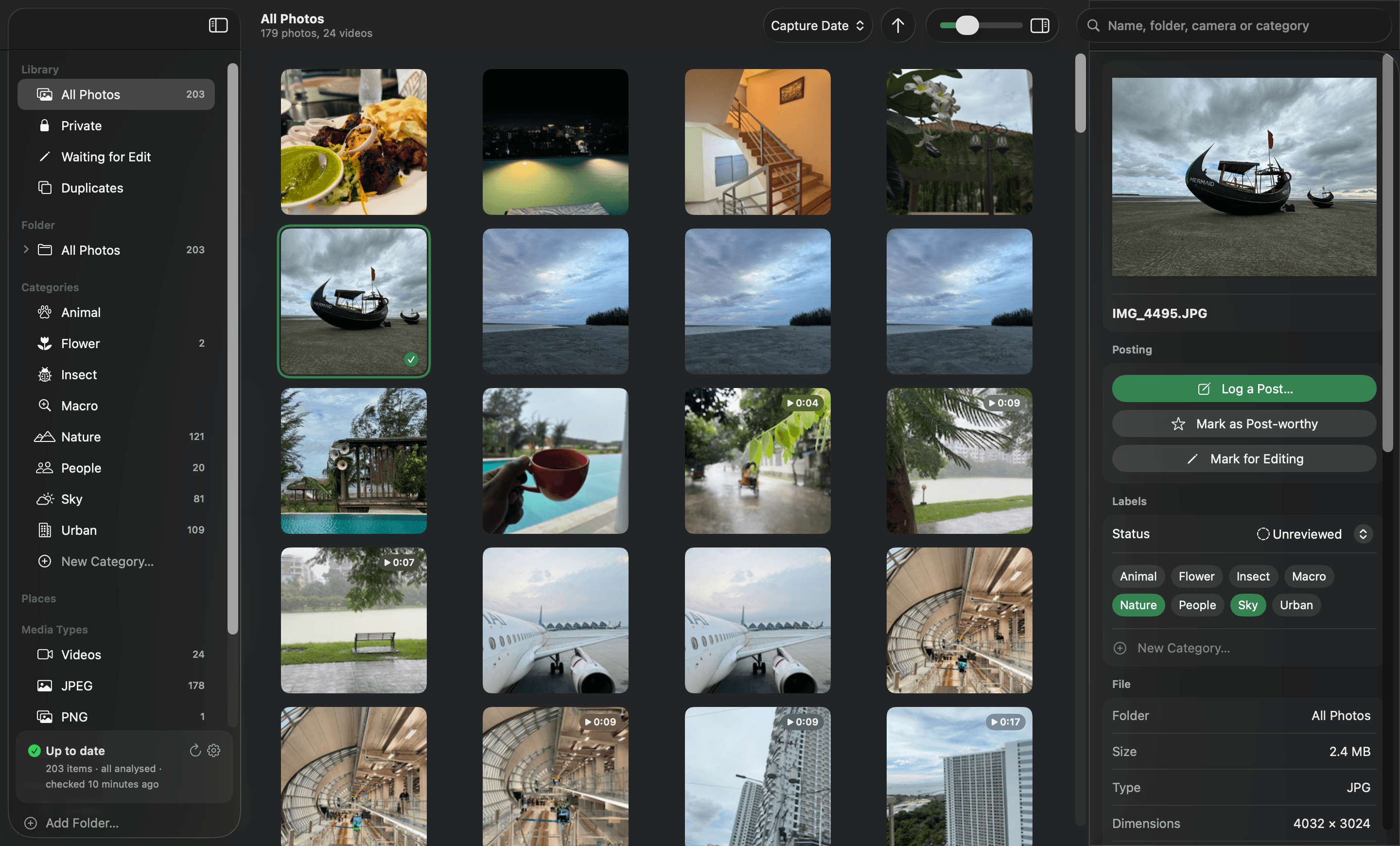
Sortroom is a Mac photo organizer that works on the folders and drives you already have. You don’t import anything, and your photos stay on your drive.

Your photos are already on your drive
Years of shoots on an SSD, an old hard drive, a few folders on your Mac. You don’t want to rent cloud storage for all of it, or hand your family photos to one more service just to get them in order.
Many photo tools start by asking you to import or upload. Sortroom starts with the drive you already have. Add a folder and your photos show up where they are.
Free
Find the photo you’re thinking of
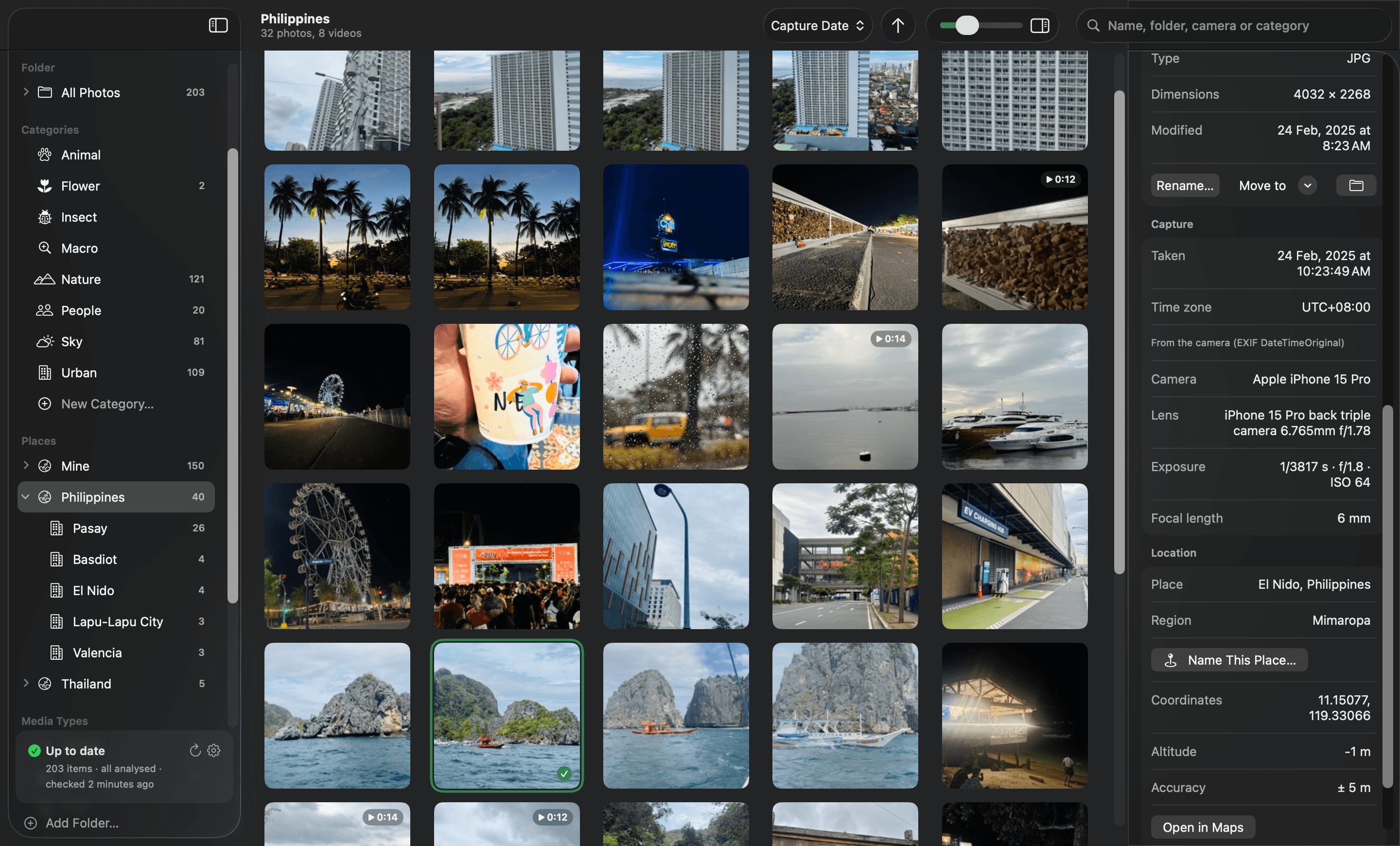
Search every connected drive at once by file name, folder, camera, category or place. Browse by country and city without opening a single folder. Say yes to on-device analysis and your Mac sorts photos into categories like sky, flowers and food. Place names come from each photo’s GPS, using a list built into the app, so that never goes online either.
Sortroom Pro
Put your drive in order
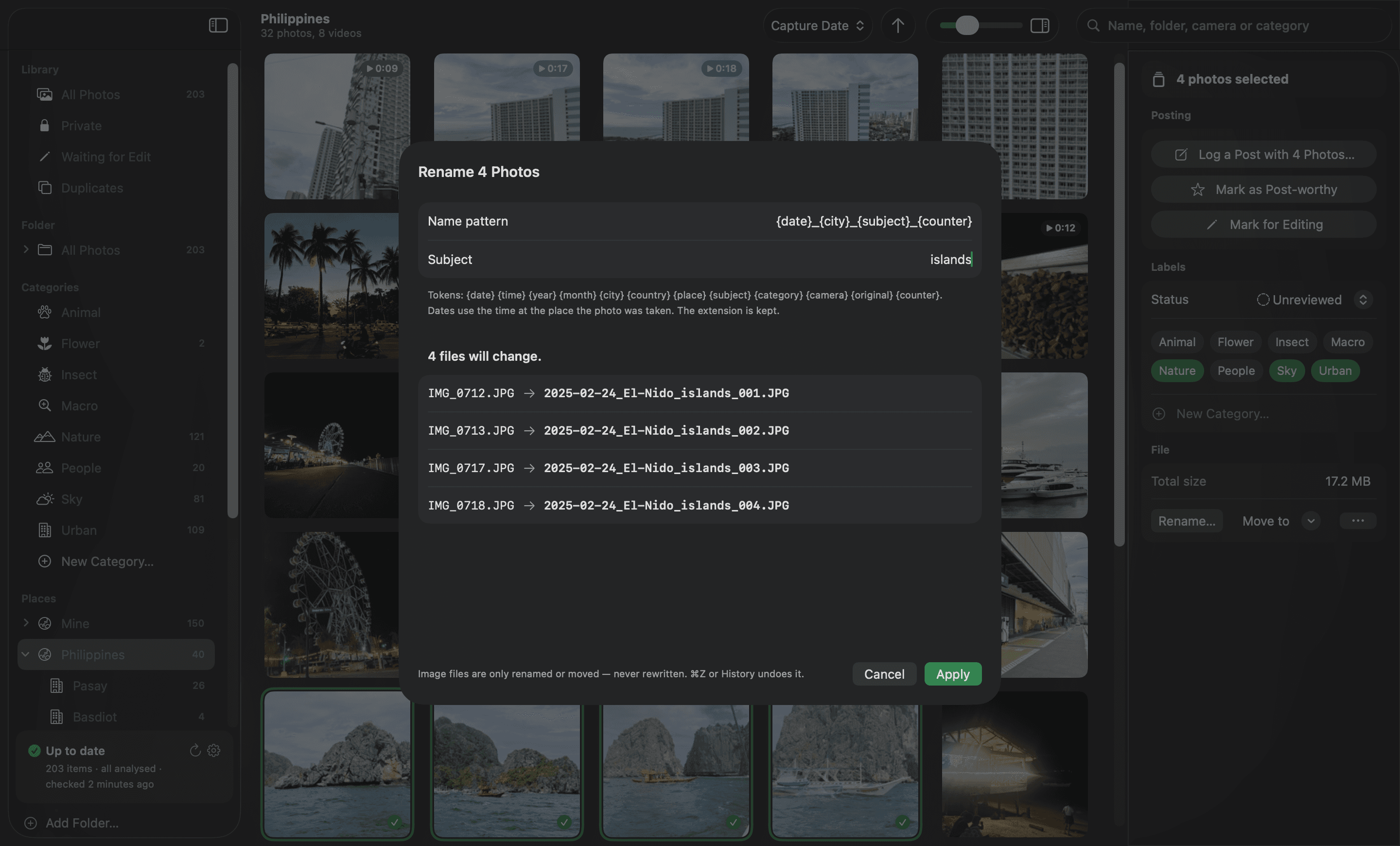
Turn IMG_4821.CR3 into 2026-03-12_Dhaka_Macro_001.CR3. Sort into Year / Month, Country / City, Category or Camera folders. Find exact copies across your drives, choose which one stays, and send the rest to the Trash or a review folder. You see every rename and move before it happens, and you can undo it.
Sortroom Pro
Have your next post ready
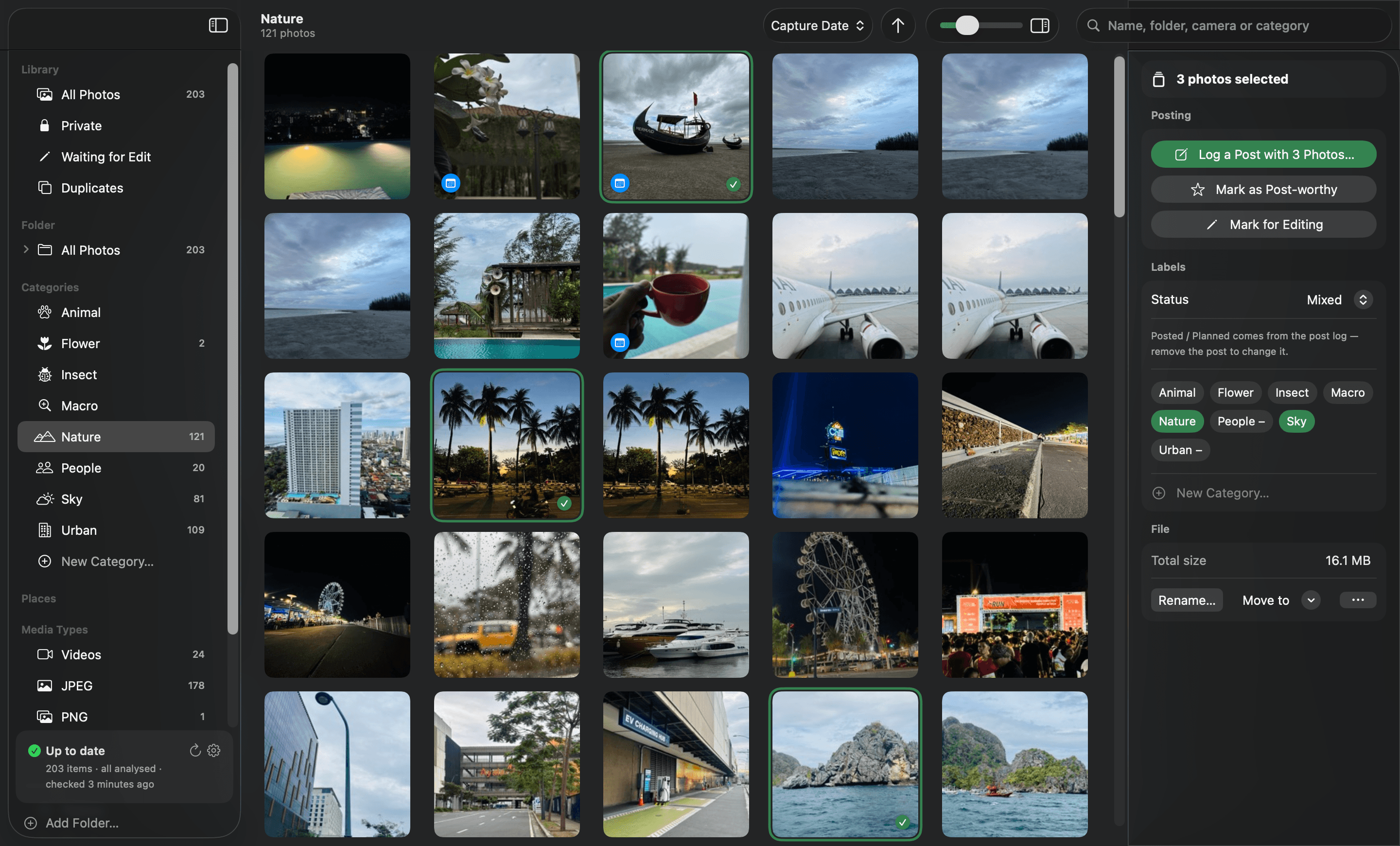
Mark the shots worth sharing, plan a carousel, reel, story or feed post, and keep a log of what already went out. Sortroom doesn’t publish anything for you. The plan is a note next to your photos, and nothing is uploaded.
What leaves your Mac
Sortroom has no account and no Sortroom server, and it never uploads your photos. Two optional features can send data off your Mac. Both are off until you turn them on, and both are part of Sortroom Pro.
- iCloud sync.
- Copies your labels, categories, post log and named places to your own private iCloud storage, so your other Macs stay in step. Your photos are not uploaded.
- Claude, the AI assistant.
- If you connect Claude Desktop, it can read file names, folders, dates, camera details, labels, and city and country. Small previews, 512 pixels at most, go only if you turn those on as well. Anything in a folder you marked Private stays out, and what Claude Desktop receives goes to Anthropic under your own agreement with them.
How it works
- Add a folder or a drive. Photos start appearing while the scan is still running.
- Sortroom reads dates and places. That happens on your Mac, in the background. Categories too, if you say yes.
- Organize when you’re ready, with Sortroom Pro. Label, rename or sort into real folders. Nothing changes until you approve it.
When the cloud is the better choice
If you want every photo on your phone wherever you are, or you want to share an album with a link, a cloud service does that and Sortroom doesn’t. Sortroom is a Mac app, and a drive’s photos open when that drive is plugged in.
Sortroom is also not a backup. Drives fail, so keep a second copy of any archive you care about.
Questions
Does Sortroom upload my photos?
No. It reads them on your Mac. The one exception is your choice: if you connect Claude and turn on previews, small copies of up to 512 pixels go through Claude Desktop.
Do I need an internet connection?
Not to read, search or organize your photos. You need it to download the app, to buy Pro and for the two optional features above.
Do I need an account?
There’s no Sortroom account. You download the app from the Mac App Store with your Apple Account, like any other Mac app.
Can Sortroom get my photos out of a cloud service?
No. It doesn’t download from cloud services. Once your photos are in a folder or on a drive, add that folder and they’re in.
Will it change my photo files?
It never re-saves or re-compresses a photo. It adds one hidden .sortroom folder at the top of each folder you add, and your files stay as they are unless you rename or move them.
Does it work with 50,000 photos?
Yes. We test Sortroom with a library of 50,000 small JPEGs in 500 folders, and on an M-series MacBook a search took under a tenth of a second. Photos start appearing during the first scan. That scan and on-device analysis take longer with big RAW files or a slow drive, and they run in the background.
What happens when I unplug a drive?
Its photos are hidden, so you can’t search them, and the drive shows as not connected. Plug it back in and they return, labels and all.
Which RAW files does it read?
Camera RAW from Canon, Nikon, Sony, Fujifilm, Olympus and Panasonic, plus DNG, along with JPEG, HEIC, PNG, TIFF, WebP and .MOV and .MP4 video.
How much does it cost?
Browsing, viewing, search, place names and automatic categories are free. Sortroom Pro adds labels, renaming, moving, organizing and duplicate clean-up. Lifetime is $39.99 once until December 2, then $49.99, with no subscription. Yearly is $19.99 and monthly is $6.99. Prices in US dollars; they vary by country. See pricing
Your photos. Your folders. Finally in order.